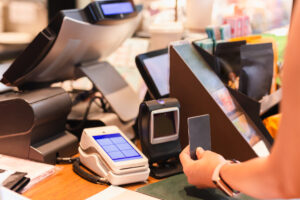
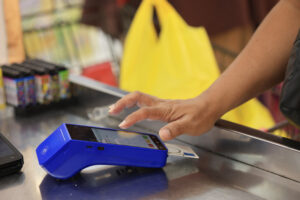
Picture this: It’s Saturday evening. Your restaurant is packed, the dinner rush is in full swing, and your team is doing everything right—until the Wi-Fi drops. Suddenly, payments can’t go through. Orders stall. A line forms. Customers get restless. And your staff? Frustrated and apologetic.
All because your POS system depends entirely on an internet connection.
Sound familiar? You’re not alone. Many retail and F&B businesses learn the hard way that a reliable offline POS mode isn’t just a nice-to-have—it’s essential. One unexpected outage is all it takes to throw a wrench in your operations. This post breaks down why offline functionality matters more than you think—and what to look out for before choosing your next POS system.
What Is Offline POS Mode, Exactly?
Offline POS mode allows your system to keep working even when the internet is down. It means you can continue processing transactions, printing receipts, and logging sales—even if your shop loses Wi-Fi or your broadband service temporarily fails.
Later, when the connection is restored, the system syncs the offline data automatically. No duplication, no missing records, no guesswork.
That’s the basic idea. But the implementation can vary a lot from one POS provider to another. And those differences matter.
Why a Single Outage Is All It Takes
Let’s be honest: internet disruptions in Singapore may not be common, but they do happen. And when they do, they often strike during peak periods—lunch hours, sale days, holiday weekends. The timing couldn’t be worse.
For businesses using online-only POS systems, here’s what that can mean:
- Payment terminals freeze
- Receipts can’t be printed
- Inventory data stops updating
- Staff scramble to switch to manual tracking
- Customer trust takes a hit
In short, you’re left improvising—often in front of a long queue of people who just want to pay and leave. Some may abandon their purchase altogether.
What’s even worse is how frequently this is brushed off. Too many business owners assume it won’t happen to them—until it does. And then they find themselves searching for a better system, a little too late.
Online-Only vs. Offline-Capable POS: The Difference in Experience
Let’s compare two scenarios.
Scenario 1: Online-Only POS
The system relies entirely on a live connection. Once that drops, everything freezes. Staff must pause operations or resort to writing things down by hand. End-of-day reconciliation becomes messy, and there’s a higher risk of errors, unrecorded sales, or duplicate entries.
Scenario 2: POS with Offline Mode
When the network disconnects, your staff keeps processing sales. The receipts still print. Payments go through (if terminals have 4G or cached card data). Once connectivity is back, the POS syncs in the background. The transition is nearly invisible to customers and seamless for your team.
The second experience is what every business owner should aim for. It keeps your momentum going, even when the tech doesn’t cooperate.
What Makes a Good Offline POS Mode?
Not all offline features are created equal. Some systems offer limited offline capabilities (e.g. recording cash sales only), while others provide full transaction processing with delayed syncing. Here are a few things to check:
1. What Can It Do Offline?
Can it:
- Record both cash and card payments?
- Apply discounts and vouchers?
- Track inventory movement?
- Issue printed or digital receipts?
Look for a POS system that doesn’t lock up basic functions when offline. Your staff shouldn’t need to skip features just because the Wi-Fi went out.
2. How Does It Sync Data Later?
A strong offline POS mode will queue all transactions and sync them accurately and automatically once the system reconnects. You shouldn’t have to manually re-enter sales or worry about double entries.
3. How Long Can It Operate Offline?
Some systems offer a short offline window (say, 30 minutes). Others can function for hours—or even days—without internet. If you’re in a mall, food court, or an area prone to network congestion, go for a POS that can handle longer periods offline.
Who Needs Offline Mode the Most?
While every business benefits from it, offline POS is especially important for:
- Food & Beverage outlets where quick checkout is critical
- Retail stores with fast-moving stock and high foot traffic
- Pop-up stores or booths that rely on public Wi-Fi or mobile data
- Hawker stalls or food trucks with spotty signals
- Businesses operating during late hours, when IT support might not be instantly available
Basically, if a sale depends on speed and reliability, offline mode should be non-negotiable.
But Doesn’t Cloud Sync Solve This?
Cloud-based POS systems are popular because they offer real-time updates and remote access. But that same dependency can be their biggest weakness when the connection drops.
A cloud-based system without strong offline support is like a car without a spare tire. It’s fine—until it isn’t.
To be clear: cloud sync and offline mode aren’t mutually exclusive. The best systems combine both: they give you real-time syncing when online, and uninterrupted functionality when you’re not.
Red Flags to Watch Out For
Before signing up with a POS vendor, ask them directly about their offline capabilities. Look out for:
- Vague answers like “Yes, we support offline features” without specifics
- Extra fees for offline mode or limited access, depending on the plan
- Manual syncing required after disconnection
- Inability to accept card payments offline (unless you use a separate terminal with fallback mode)
Don’t be afraid to request a demo. Test what happens when you simulate a disconnection. If their system freezes or data gets lost, that’s your sign to walk away.
What’s the Cost of Not Having Offline Mode?
We’re not just talking about lost sales, though those are painful enough.
The bigger risks include:
- Reputation Damage: Frustrated customers talk, especially online.
- Employee Stress: Asking your team to manage sales manually mid-rush isn’t fair.
- Operational Delays: Trying to sort through gaps in transaction history is time-consuming.
- Accounting Issues: Unsynced data can throw off reports, payroll, and inventory counts.
For many small to mid-sized businesses, these costs far outweigh the price difference between a basic system and one with offline support.
Don’t Let Downtime Define Your Business
Nobody expects their POS to fail. But it happens. And when it does, the systems with offline functionality quietly shine.
If your current setup leaves you exposed to outages, now’s the time to rethink your tools. Your team, your customers, and your peace of mind will thank you.
At Suntoyo, our Enhanced POS solutions include reliable offline features built with real businesses in mind. As a pre-qualified PSG vendor, we help Singapore retailers and F&B operators access up to 50% funding support, making resilience more accessible than ever.
Ready to see how offline POS mode works in action? Reach out to us for a no-obligation walkthrough.